

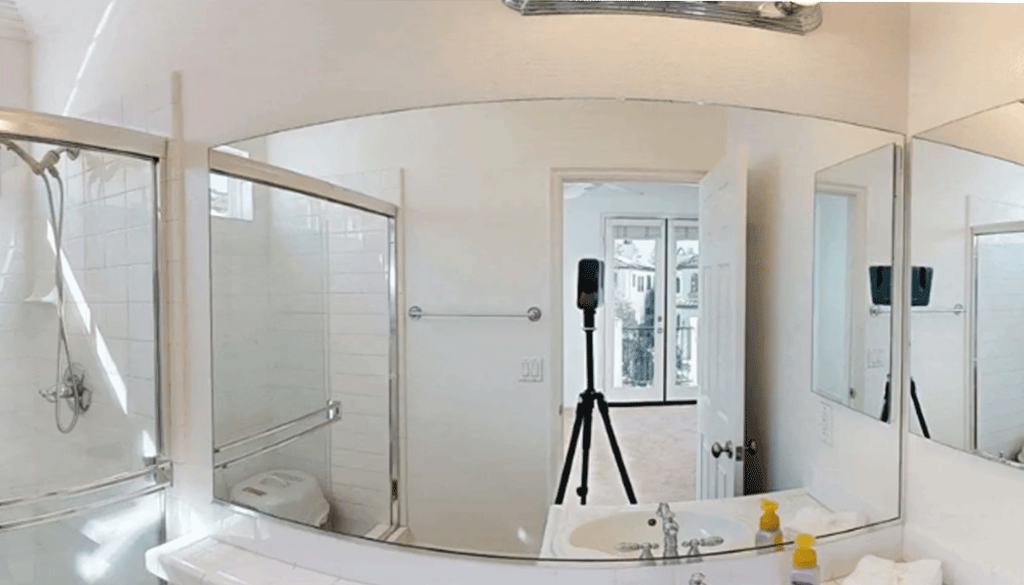
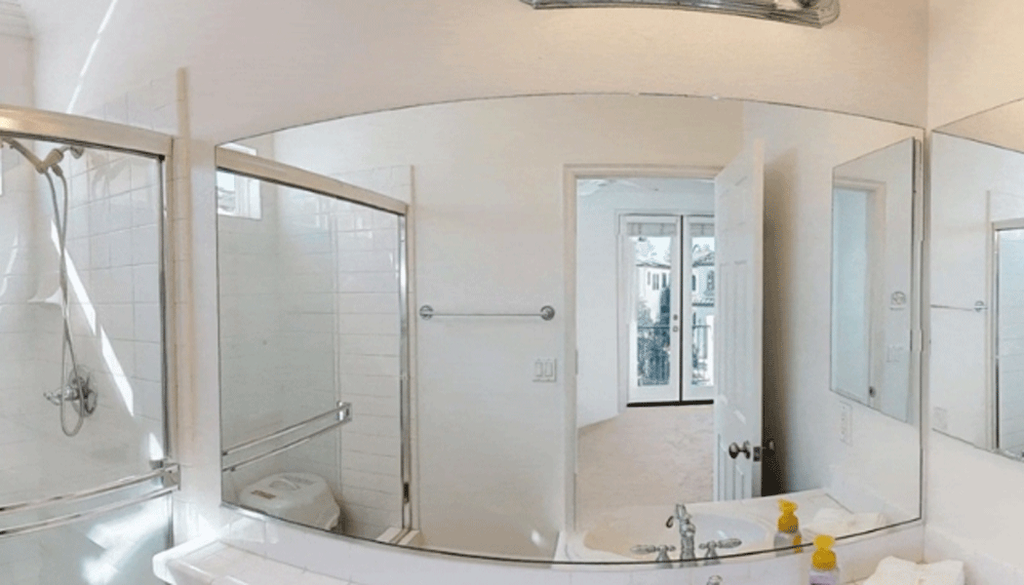
Camera reflections are a small detail, but they can have a big impact on immersion. When someone is walking through a space, especially a home, anything that reminds them they’re looking at a scan instead of being there can pull them out of the experience.
Remove Camera from Reflections runs automatically during model processing after a scan is uploaded. No additional setup or action is required. Camera reflections are removed as part of the standard processing workflow.
Today, the feature performs best when the camera is clearly visible in mirrors and large reflective surfaces.
It can also remove reflections from glass surfaces like windows, TVs, and glossy panels. These cases are more challenging. Reflections can be subtle, distorted, or incomplete, making detection and reconstruction harder.
Mirrors are still the strongest and most reliable use case, with optimisations that better preserve the original image around the edited area.
With Remove Camera from Reflections, Matterport continues to raise the bar for immersive virtual experiences. By removing distracting camera reflections, viewers can feel truly present in the space, making every tour more realistic, engaging, and visually appealing.
It’s a simple change with a noticeable impact, removing a common distraction so viewers can stay focused on the space itself.