
Tag: capture
-
Skillnet Ireland Funding for Certified Matterport Training Overview For professionals and businesses wishing to develop their expertise in Matterport digital twins, immersive 3D capture and post-production, Skillnet Ireland may provide funding towards the cost of training. Skillnet Ireland is a Government-backed national agency that works with industry-led Skillnet Business Networks to support workforce development and…
-
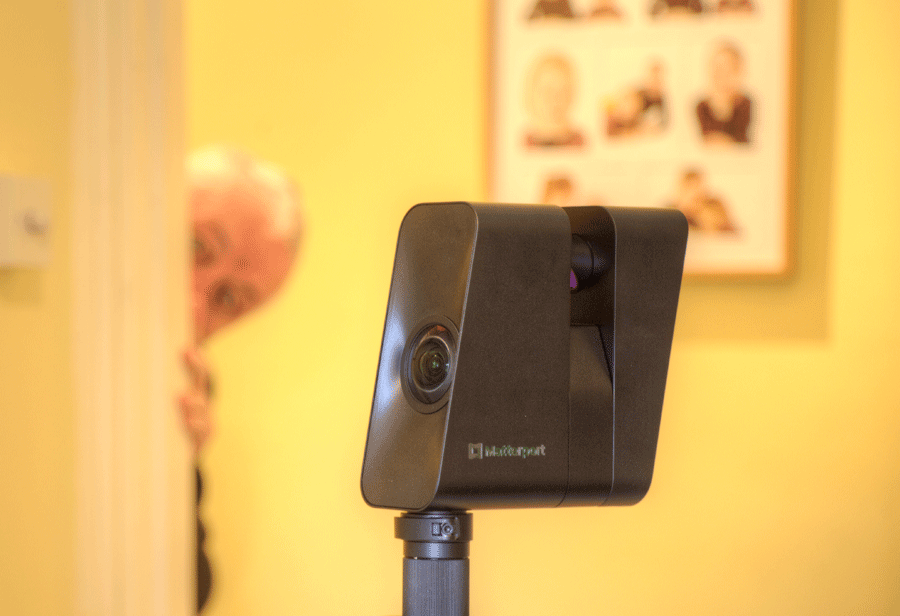
You have a choice when capturing with the Matterport Pro 3 LiDAR camera. Either you stick with the camera and stay behind it, or you leave the area and hide from view. If sticking it is worth noting that the Pro 3 rotates in four segments, with a short pause in between. You really need…
-
When you hit 200 scans is best practice to duplicate the model Reboot the camera and the iPad If you have good Wi-Fi on site then upload the partial model for processing Each time you do this AI Cortex will recognise the earlier data and only process the new data Continue to scan using the…
-
Errors created by Similar locations on different floors Featureless corridors Repeating patterns Highly reflective curved surfaces System Errors Scans misplaced Placing scans on the wrong floor Error messages Mis-alignment of model
-
Once enabled, choose to blur faces during Space processing automatically. The accuracy of the results depends on a variety of factors. Assists with GDPR compliance Manual blurring in post-production is also available.
-
Managing Exterior Data for Improved Processing, Dollhouse Accuracy and Point Cloud Outputs Overview The 2D Trim Tool in the Matterport Capture app for iPad is used to define the intended boundary of a model during capture. It is particularly valuable during exterior scanning where unwanted environmental data can increase processing time and reduce model quality.…
-
Mark windows and mirrors as soon as possible to optimise the quality of the model. Choose Windows and add one with the Plus sign. Runs of windows in a wall can be treated as one. Where there are doors in the glazing, do not mark if you wish to continue scanning the other side and…
-
Areas without data are black and featureless Areas with sufficient data show detail Black flecking indicated less scan density Scan behind counters, desks, furniture to create the optimum ‘Doll House’ effect These scans can be hidden in the edit